APPGALLERY GAMERS CUP

PUBG Mobile Competition

Register through RivalN, create your duo team, add your PUBG Mobile device, and complete your tournament registration before qualifiers begin.

REGISTRATION OPENS 1 AUGUSTAppGallery Gamers Cup PUBG Mobile Competition — online qualifiers and Riyadh finals
Online qualifiers · Riyadh finals · Register through RivalN

EVENT OVERVIEW

AppGallery Gamers Cup — PUBG Mobile Competition

A duo competition that progresses from online qualifiers to a Riyadh LAN final.

Game
PUBG MOBILE
Format
Duo Competition — 2v2 TDM Qualifiers → Duo Battle Royale Playoff → Riyadh LAN Final
Capacity
Up to 512 duos
Qualification
Top 4 duos qualify for the Riyadh final
Prizes
Cash Prizes + Huawei Devices

EVENT DATES

Registration1–6 August
Online Qualifiers7–11 August
Riyadh Final14–15 August

ELIGIBILITY

What your team needs to know.

  • Players must be able to attend the Riyadh finals or they will be eliminated
  • No minimum age
  • Teams consist of 2 active players
  • Up to 2 substitutes are allowed

HOW TO REGISTER

Six clear steps inside RivalN.

Follow these steps inside RivalN. Tournament details shown in the app can change, so use the official event details on this page.

01

REGISTRATION STEP

Download RivalN and create your account

Download RivalN and create your account before beginning tournament registration.

Download RivalN
02

REGISTRATION STEP

Create your team

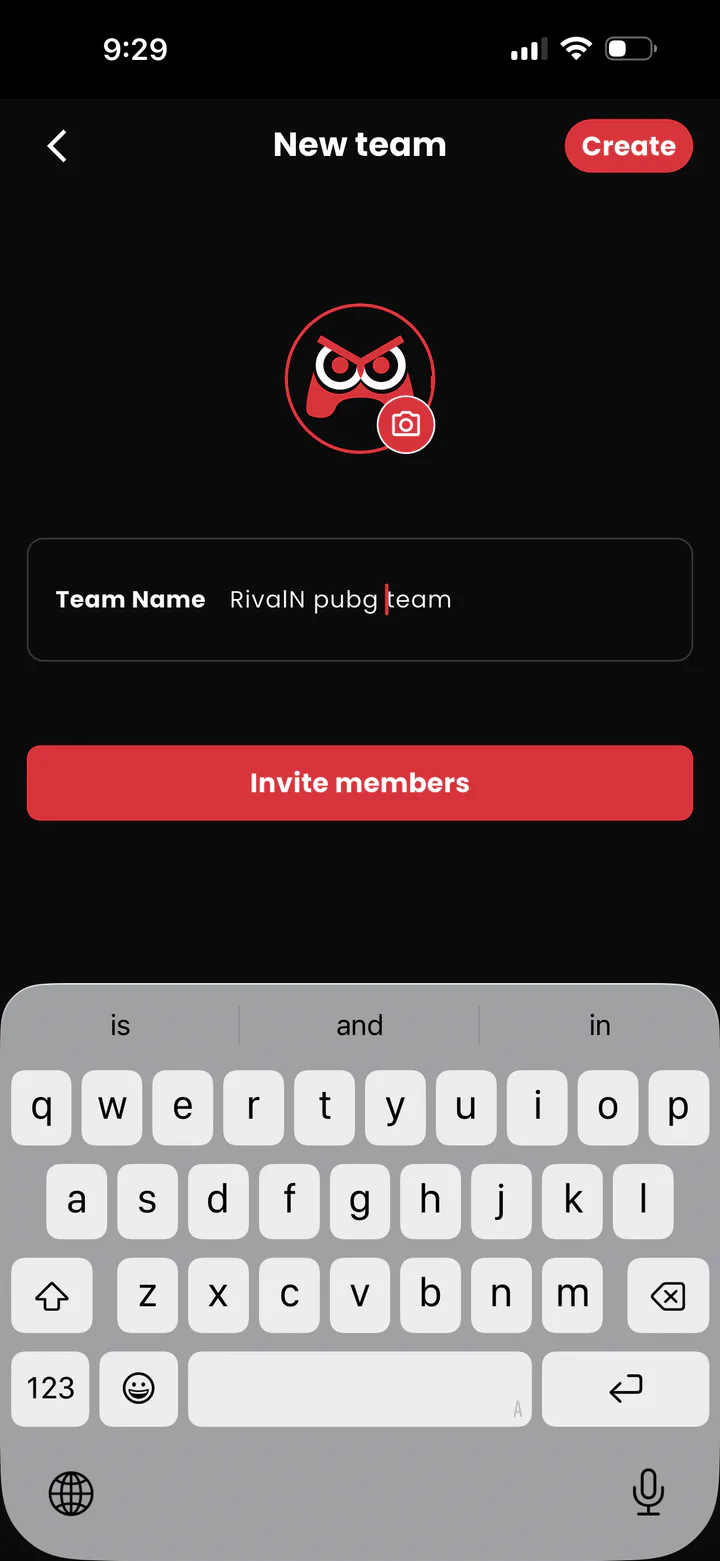
From the Profile page under the Teams tab, tap Create a Team, choose your team name, and create it.
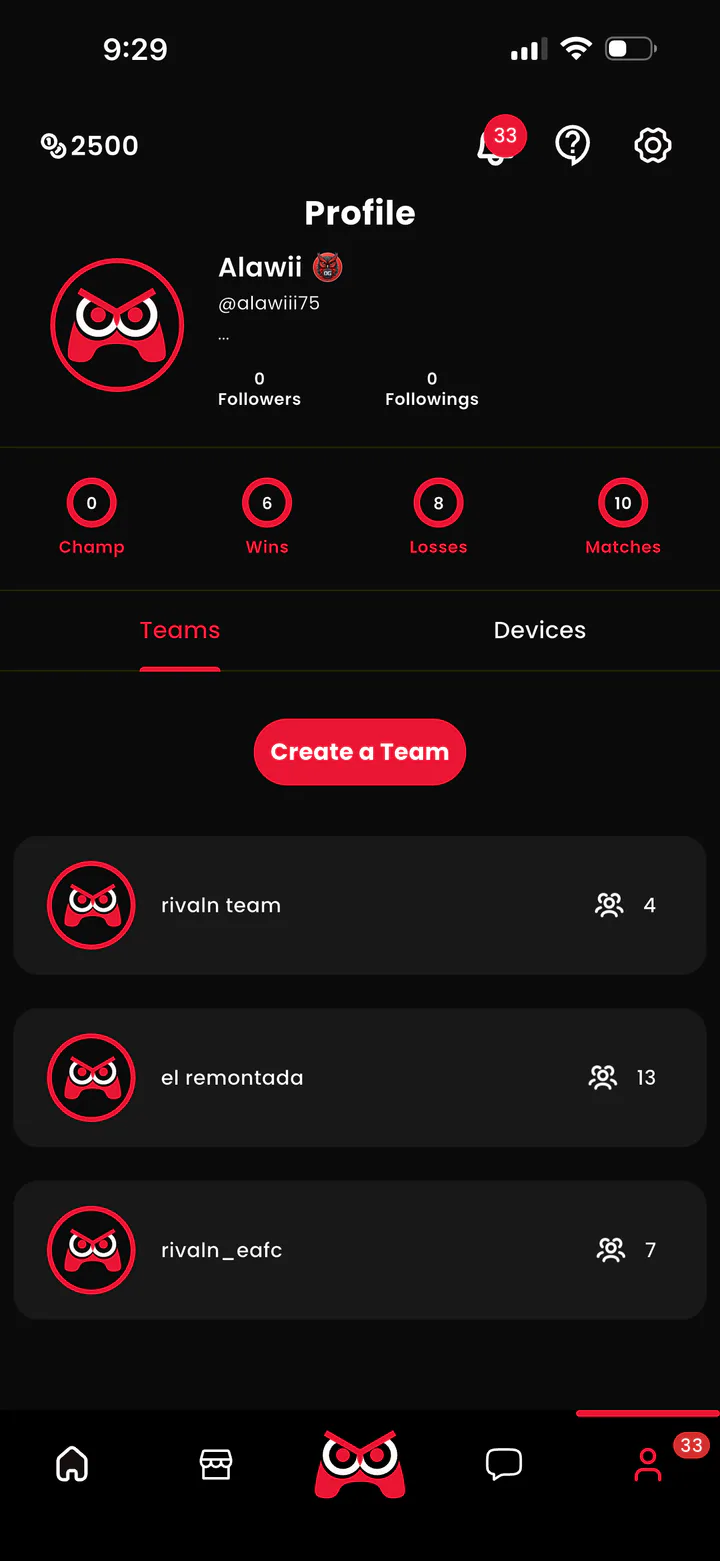
RivalN Profile page with the Teams tab and Create a Team action
Profile → Teams → Create a Team
RivalN New team screen with the team name and invite members actions
Choose a team name, then create the team
03

REGISTRATION STEP

Add your PUBG Mobile device

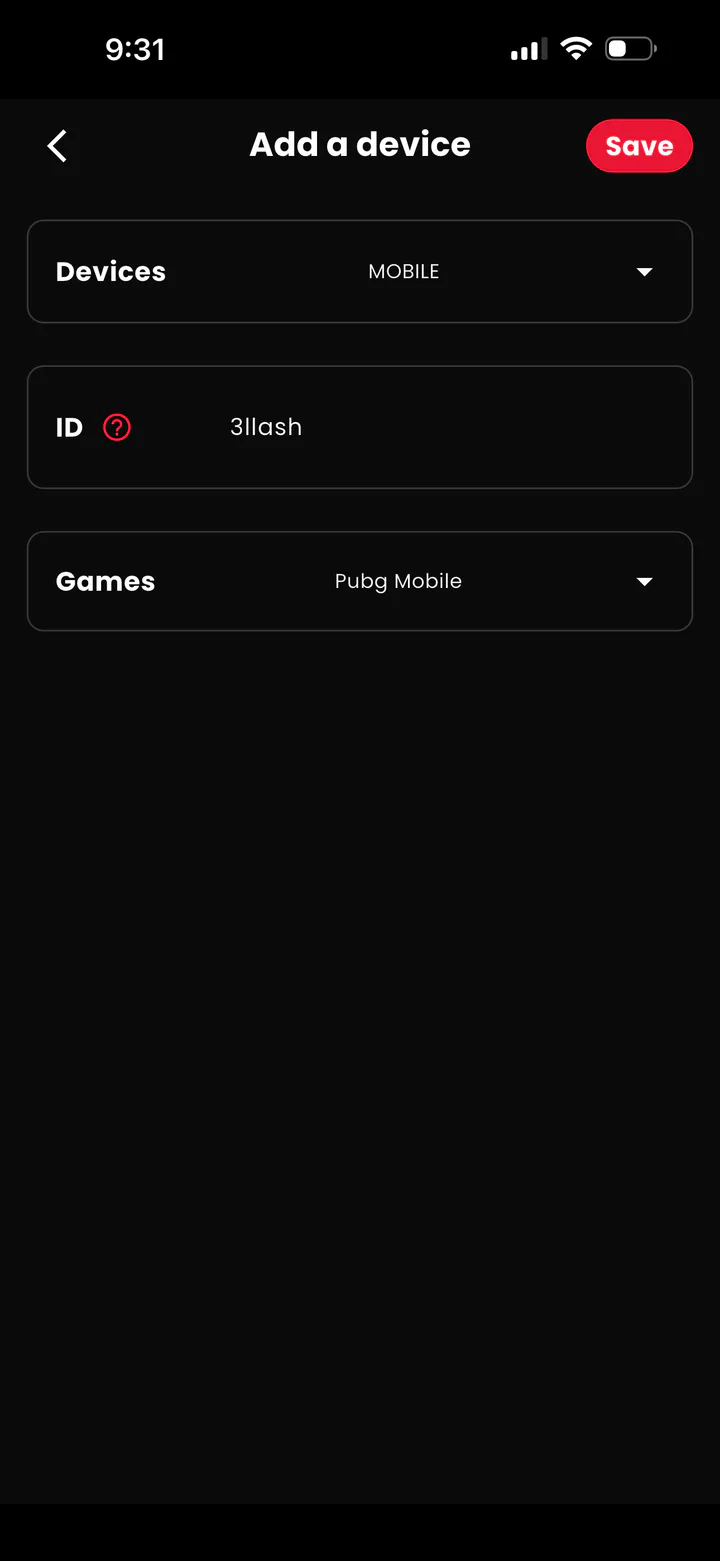
From Profile under Devices, tap Add a device, choose Mobile, enter your PUBG in-game name, choose PUBG Mobile, and save.
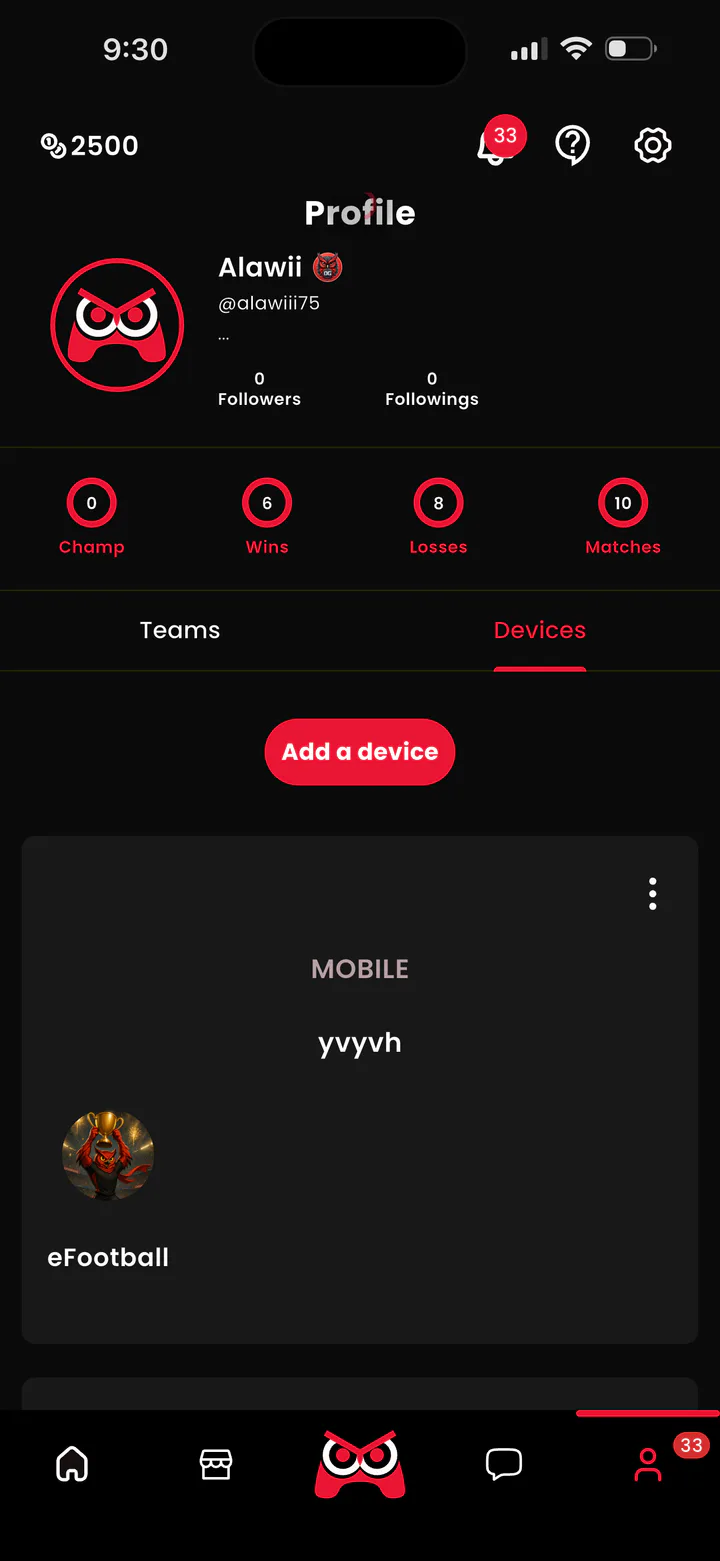
RivalN Profile page showing the Devices tab and Add a device action
Profile → Devices → Add a device
RivalN Add a device form with Mobile, ID, and PUBG Mobile fields
Choose Mobile, enter the in-game name, select PUBG Mobile, then save
04

REGISTRATION STEP

Find the tournament

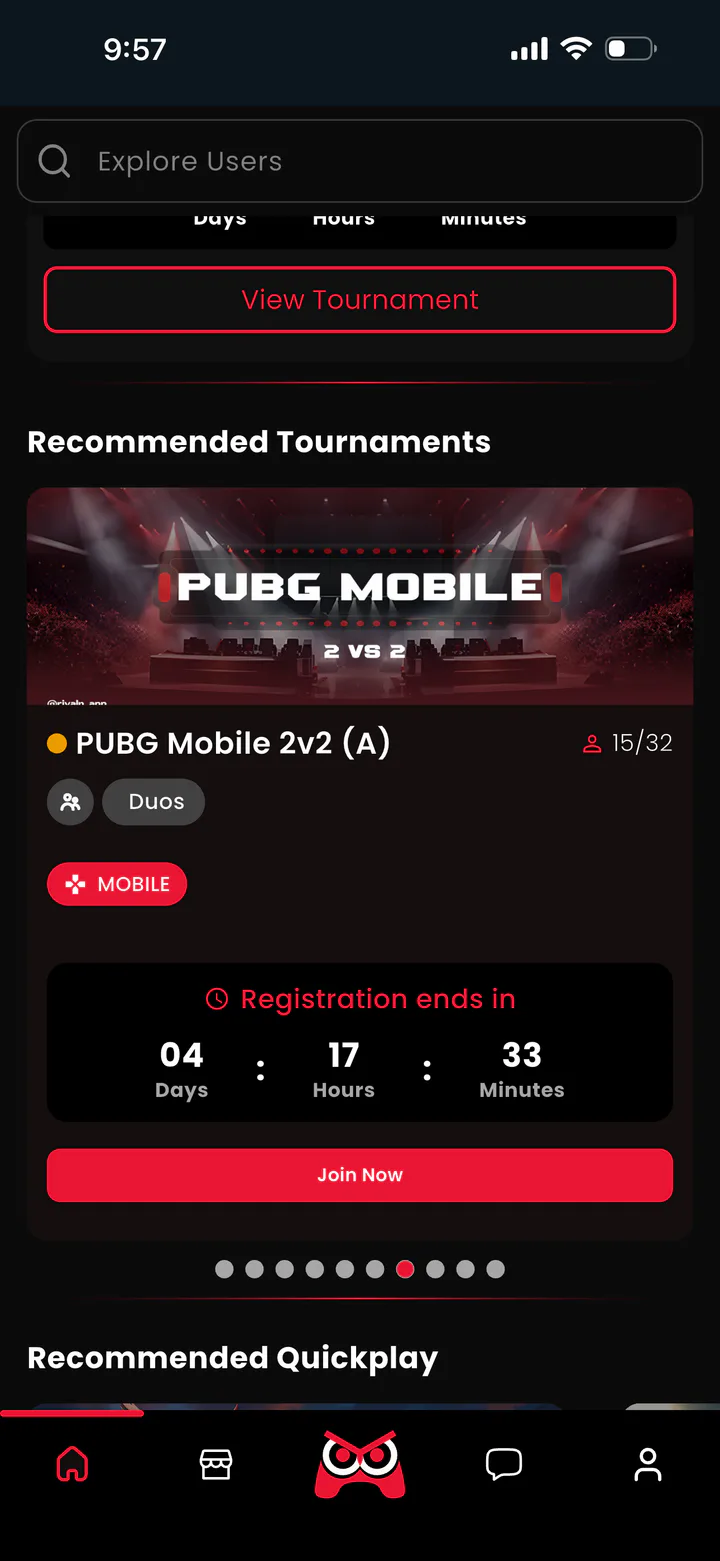
You can find the tournament from the RivalN homepage or by opening PUBG Mobile from the Games tab.
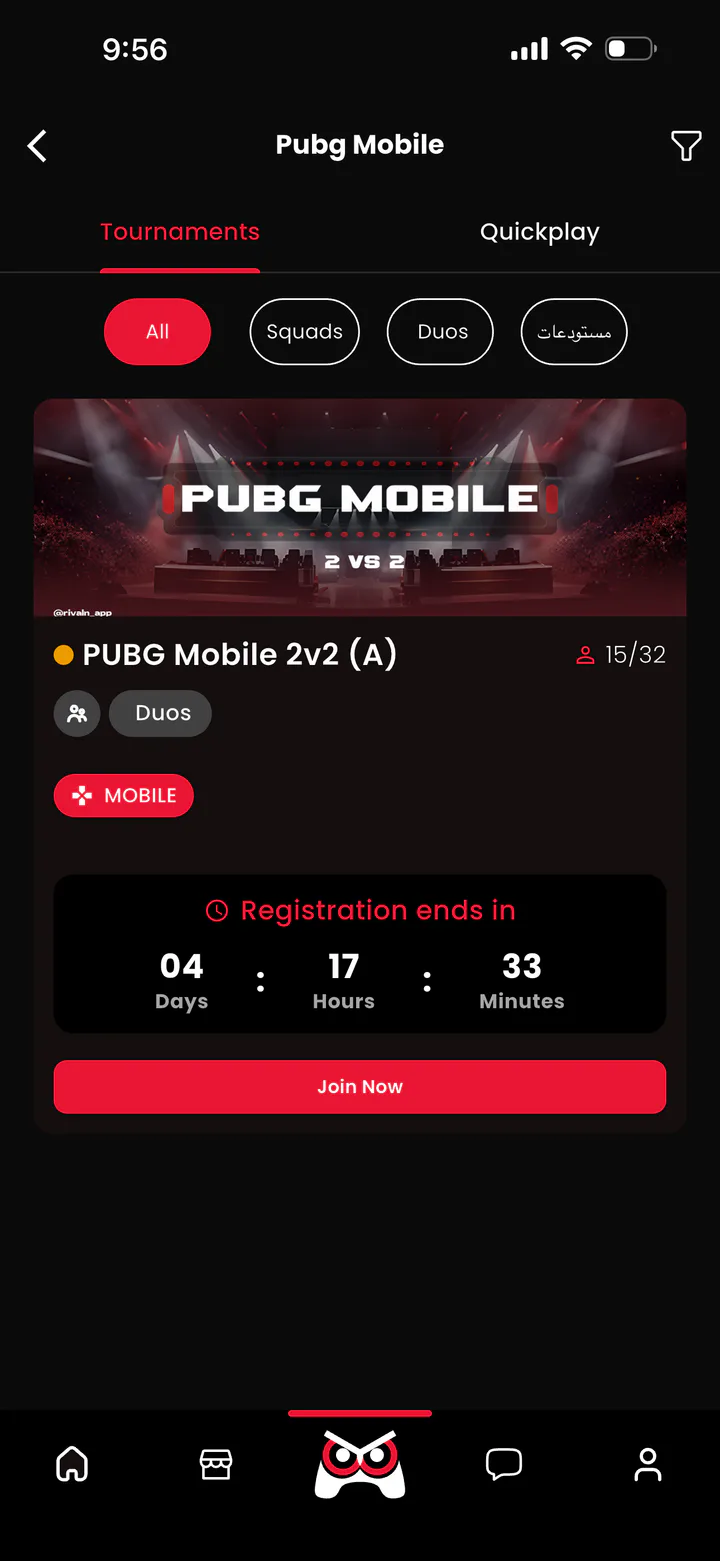
Illustrative RivalN PUBG Mobile game page showing the tournament area
Games tab → PUBG Mobile → Tournaments
Illustrative RivalN homepage showing the recommended tournament area
RivalN homepage → Recommended Tournaments

These screens show where to look. Use the official event name and dates on this page when identifying the competition.

05

REGISTRATION STEP

Join and confirm your registration

Open the official event, tap Join Now, select your team, choose the participating members, and confirm registration.

  1. Tap Join Now.
  2. Select your team.
  3. Choose the active players and any substitutes participating in the tournament.
  4. Review the information and confirm your registration.

Make sure your team information and selected members are correct before confirming.

06

REGISTRATION STEP

Add your teammate

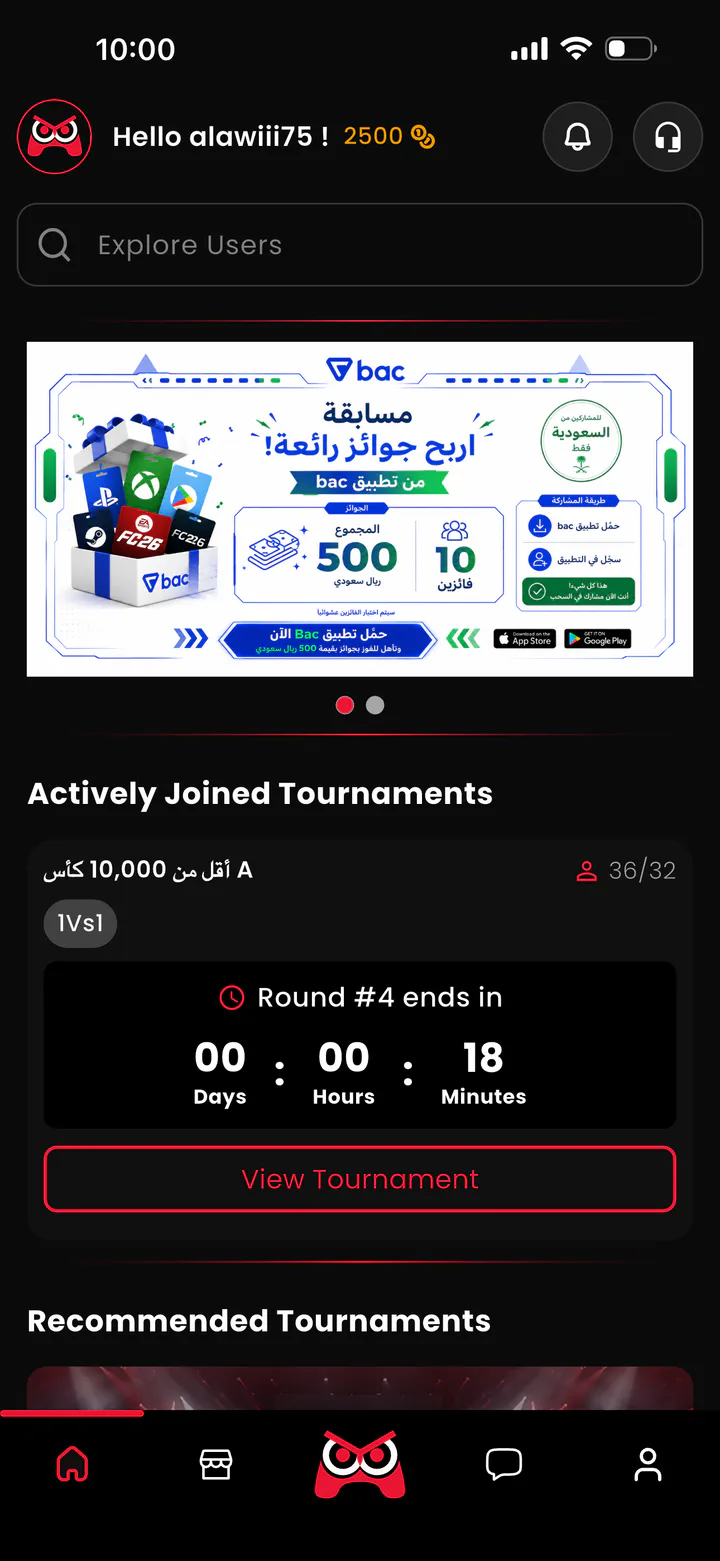
Your teammate searches through Explore under the Teams tab and taps Join. The captain then manages the request through Notifications.
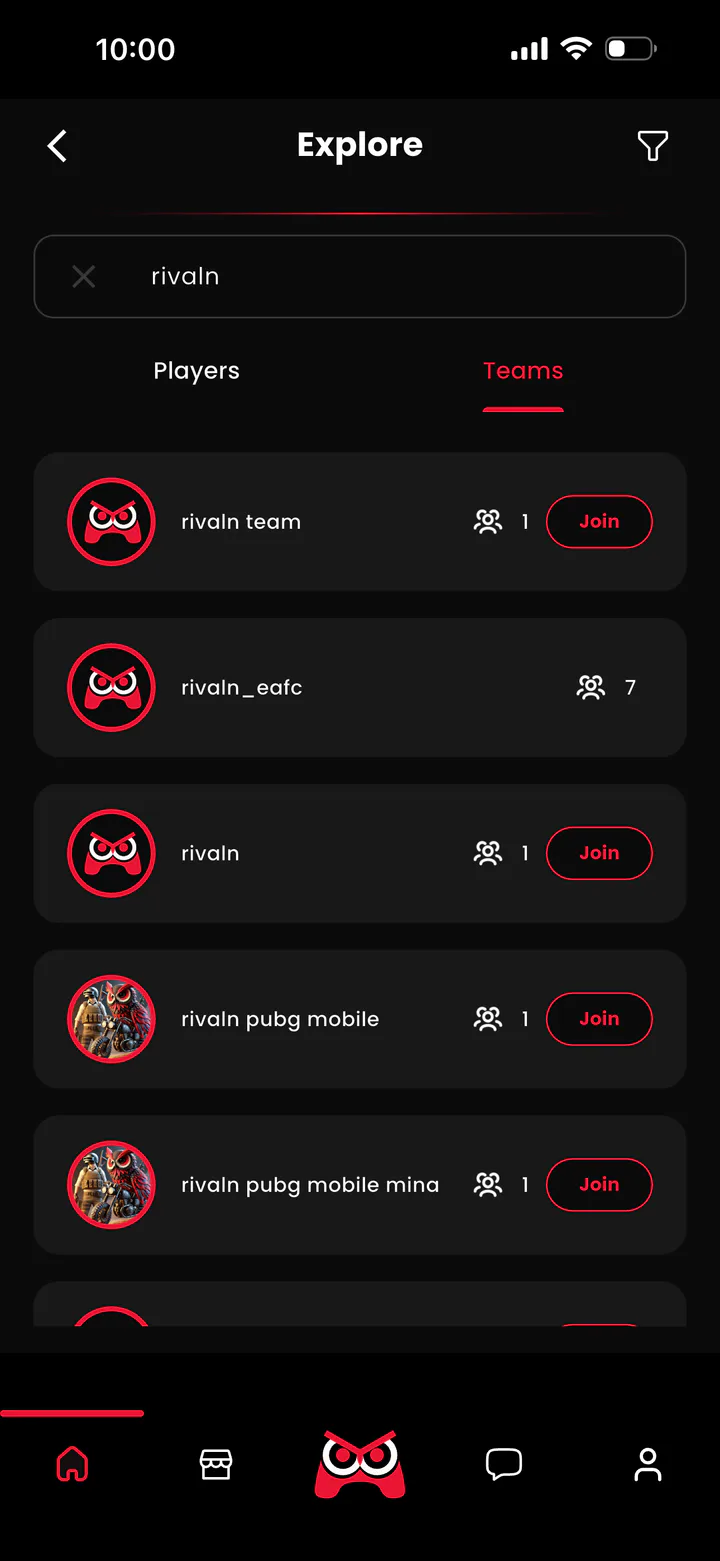
RivalN Explore search results showing the Teams tab and Join actions
Teammate: Explore → Teams → search → Join
RivalN homepage context showing the notification control used by the team captain
Captain: open Notifications and manage the join request

COMPLETE YOUR ENTRY

Build your duo in RivalN.

Download RivalN, complete the six steps, and register before the event window closes.

Download RivalN